The most unexpected everyday tool can be found on your phone
Apple's Measure app, available on iPhones since the 6s, uses the camera and LiDAR to measure objects. It's useful for quick checks, but not definitive for high-stakes projects.
Intelligence analysis by Qwen 2.5 (3B)
Apple's Measure app, a built-in tool on iPhones, uses the camera and LiDAR to measure objects. It's useful for quick checks, but not definitive for high-stakes projects.
The Measure app on your iPhone uses the camera and LiDAR to measure things. It's like having a digital tape measure in your pocket, but it's not as accurate for big projects.
Analysis
{"
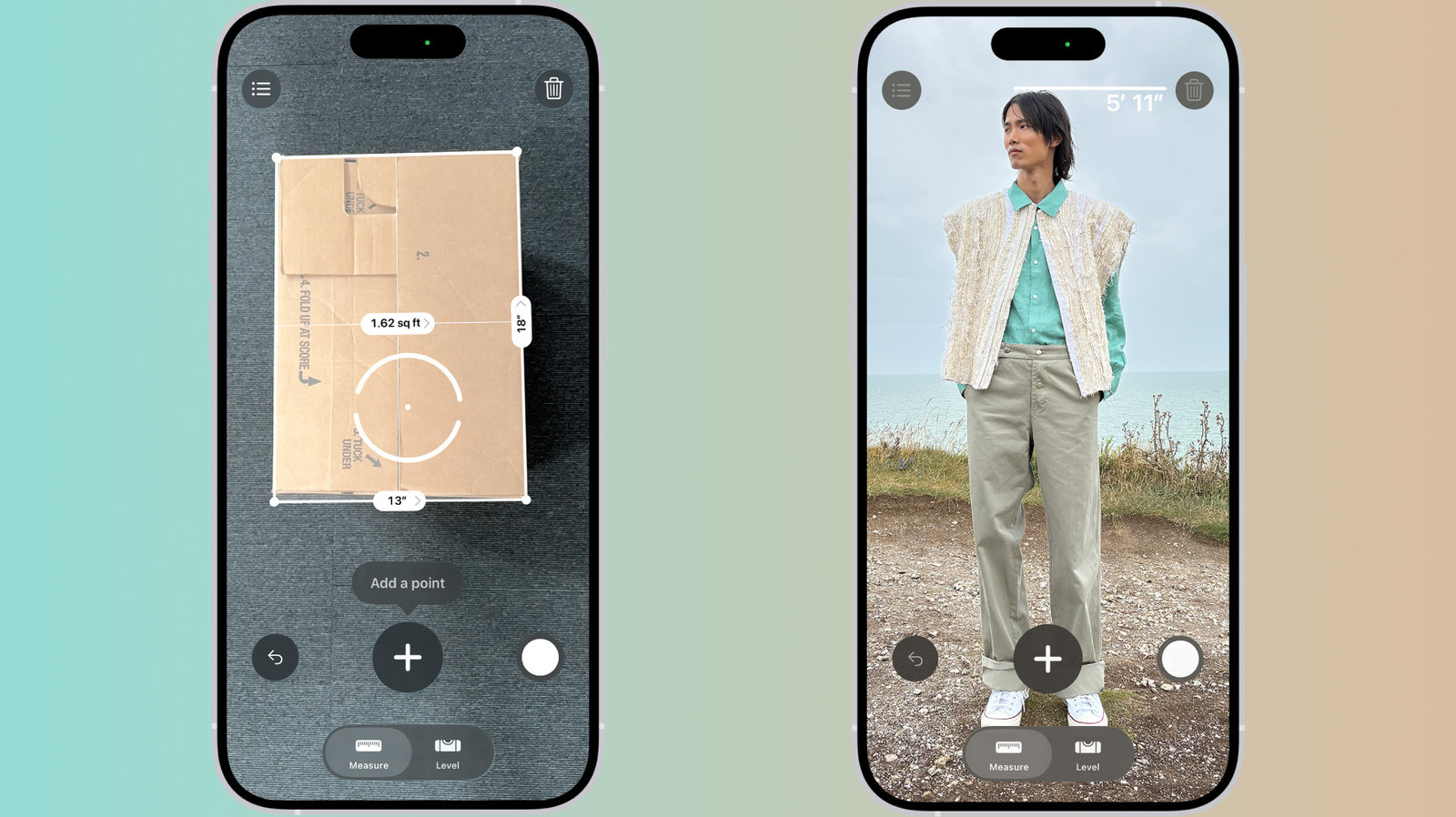
Initial Setup and Usage Instructions":"To use the Measure app, you need to move your iPhone around to map your surroundings. Once the initial scan is complete, you can start measuring by aiming the dot at one end of the object you want to measure and tapping the + button. Move the camera to the other end and tap + again. The length appears on the screen. You can save a screenshot to Photos or use the undo button to start over.","
Features of the Measure App":"The Measure app includes instant height measurements of people, guide lines that snap to edges, a ruler view with tick marks when you get close, and a list of measurements from the current session. Pro models have additional features like a Level tab and the ability to automatically measure rectangles.","
Limitations and Best Practices":"Apple's Measure app works best for objects with clear edges about 2 to 10 feet away. It's best treated as a quick, on-the-fly check, not something definitive. For high-stakes projects, use a real tape measure."}
Key points
- The Measure app is available on iPhones since the 6s
- It uses the camera and LiDAR to measure objects
- It's useful for quick checks, but not definitive for high-stakes projects
The Measure app can help people quickly check if their items are the right size or fit, making it useful for everyday tasks.
The Measure app is not as accurate as a physical tape measure, so it's best used for quick checks rather than for high-stakes projects.